Look closely at the number 8 on an old calculator. It is not really an 8. It is seven possible strokes waiting for instructions, all lit at once. Turn off the upper-left stroke and it becomes 9. Turn off the bottom-right stroke too and the shape starts speaking a different visual dialect.
That bargain is the secret of the seven-segment display. A calculator does not need a screen that can paint anything. It needs a small, bright alphabet for ten digits, a decimal point, a minus sign, and a few indicators. Seven bars are enough to do that job with a lot less wiring and logic than a miniature pixel canvas.
Seven bars, not seven pixels
The bars are usually named A through G. A typical digit has three horizontal segments, four vertical segments, and a decimal-point segment nearby. The electronics choose which segments are on. The display does not understand the number 5 as a mathematical object; it receives a pattern of switches that humans recognize as 5.
This distinction matters. The calculator’s arithmetic circuit can be thinking about a long internal value while the display circuit is only deciding which bars to illuminate. Calculation and presentation meet at a narrow doorway.
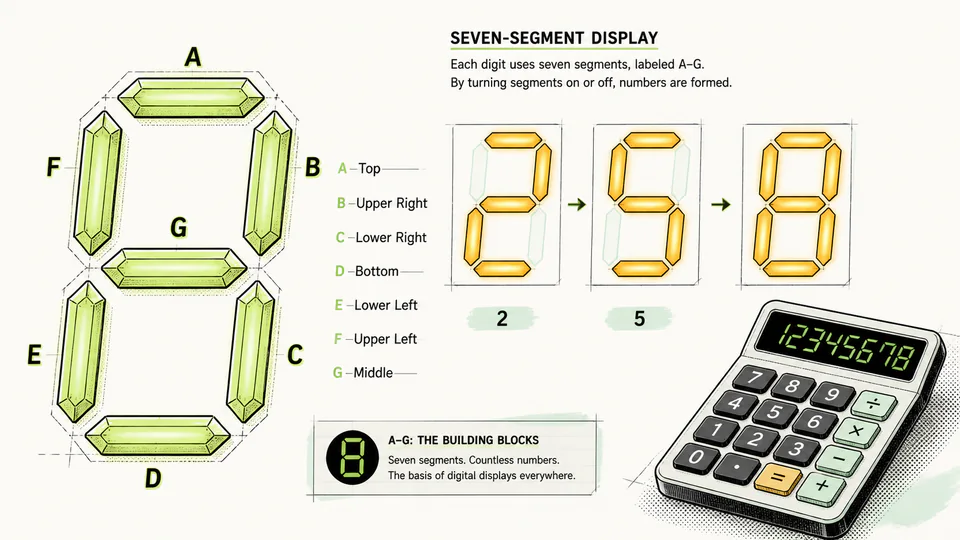
Seven bars produce a recognizable digit. The decimal point is a separate address in the same tiny neighborhood.
Why not use a tiny pixel screen?
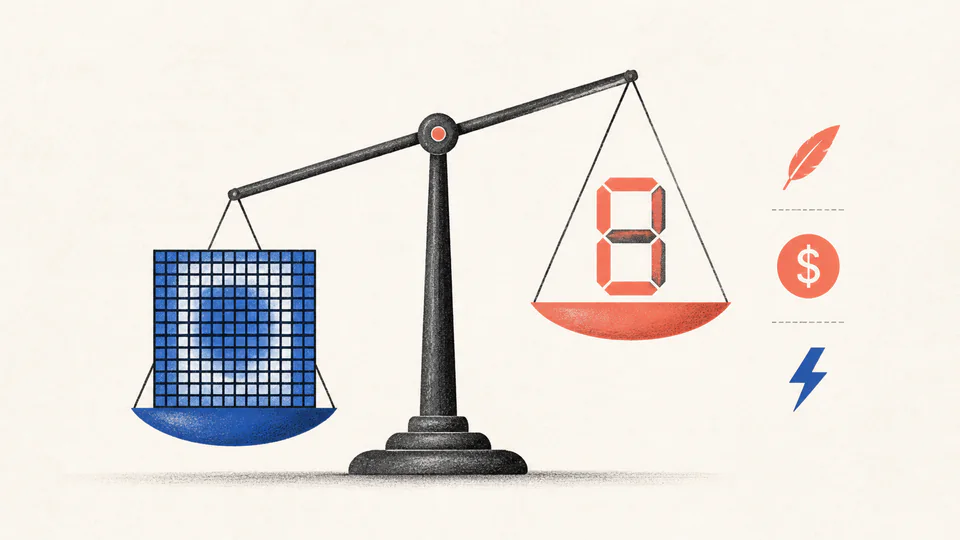
A pixel grid can draw more characters and shapes, but that flexibility costs something. More controllable elements mean more connections, more driver work, more memory for patterns, and often more power or hardware complexity. A seven-segment display accepts a severe limitation in exchange for a simple, dependable result.
The tradeoff is visible in what the display refuses to do. It can make a convincing 0, but not a graceful lowercase alphabet. It can show E or H in a calculator’s error or mode indicator, but only through the angular grammar of the bars. The awkward shapes are not failed typography. They are the honest outline of the hardware.
Four digits can share the same wires
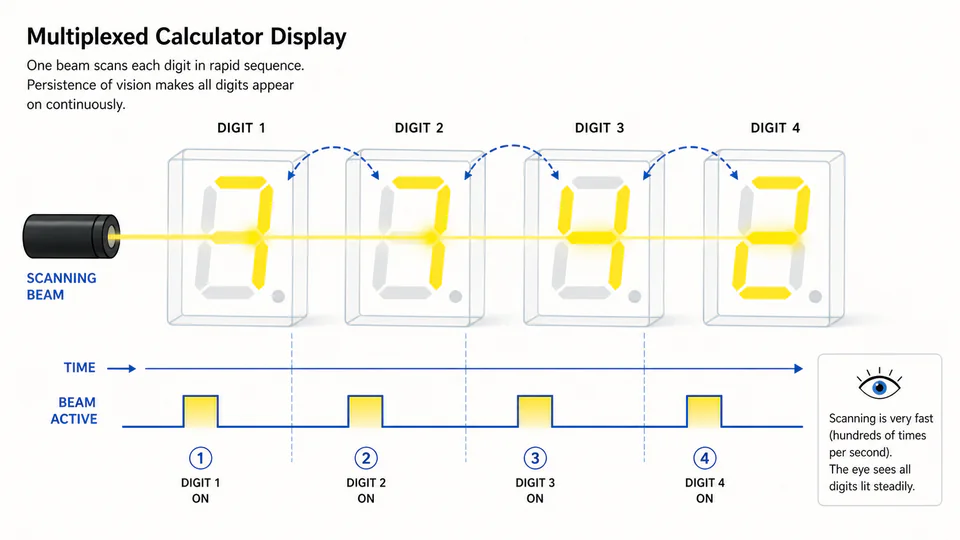
There is another neat trick behind a multi-digit display: multiplexing. Instead of giving every bar in every digit its own continuously active control line, a driver can light one digit for a short moment, then move to the next, cycling quickly through the row. The eye blends the rapid sequence into a stable number.
This is not a cheat in the visual sense. It is a timing decision. The display is being refreshed, not painted once and left alone. Brightness, refresh rate, and the number of digits all become part of the engineering balance.
The scanning beam moves faster than conscious attention can follow. What feels like four lit digits is a carefully scheduled sequence.
The seven-segment display survives because it is not trying to be a general-purpose screen. It is a highly edited interface. For arithmetic, that restraint is a feature: the answer appears quickly, stays readable, and asks the electronics to control a small set of known shapes.
A calculator display is not a little television. It is a stencil with excellent timing.