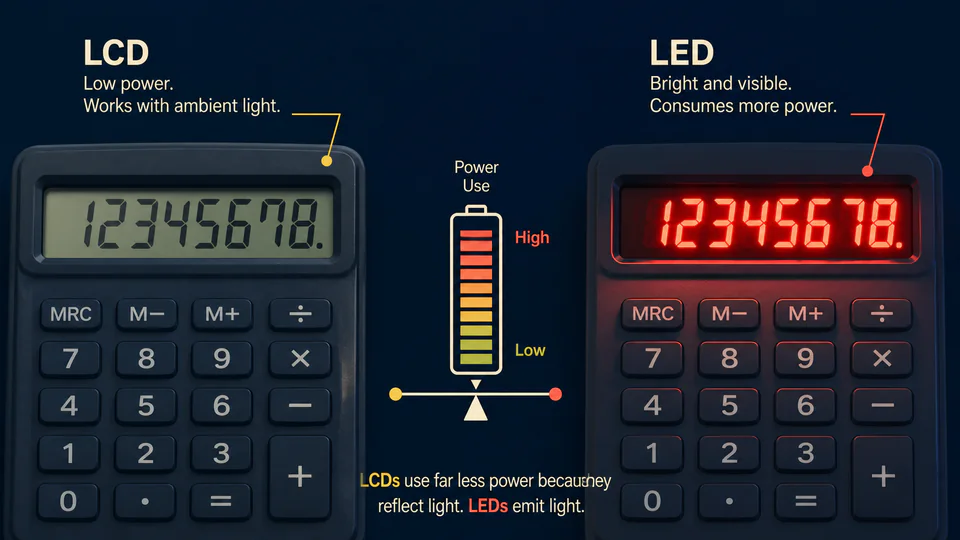
The number on a pocket calculator looks black because the calculator is shining light at you. That is the trick. A classic LCD does not need to glow like a tiny red LED sign; it changes how incoming light travels through a stack of films and liquid crystal.
For a device expected to sit in a drawer for months and wake up on a button cell, that difference is enormous. The display is not merely an image-making part. It is one of the reasons a calculator can be small, cheap, and patient about power.
A bright display spends energy continuously
An LED segment must be driven with current to emit light. That can make a display vivid and easy to read in a dark room, but every lit segment is part of the power budget. Early electronic calculators used light-emitting displays; later LCD designs made very long battery life and solar assistance practical.
The historical calculator reference Datamath describes low power consumption as a major advantage of LCD technology. The design is especially well suited to a calculator because the device shows a small, mostly static set of symbols rather than moving images.
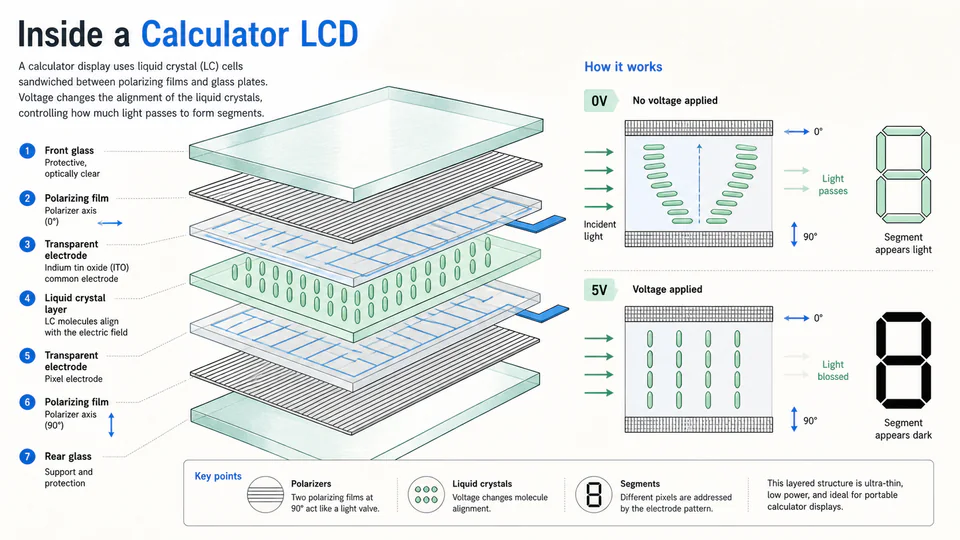
The screen is a sandwich of decisions
Two thin glass plates hold transparent electrodes and a layer of liquid crystal. Polarizing films and a reflector complete the optical path. When voltage changes the orientation of the crystals, the segment changes from a reflective background to a dark shape.
This is why calculator LCDs can be so thin. The display is not a row of miniature bulbs behind a printed panel. It is an optical valve with a limited vocabulary of segments.
Ambient light becomes part of the circuit
A reflective LCD prefers a room with some light. It can look faint in darkness because there is less light to modulate, not because the arithmetic chip has stopped. The same choice that saves power also explains the familiar “tilt it toward the window” behavior.
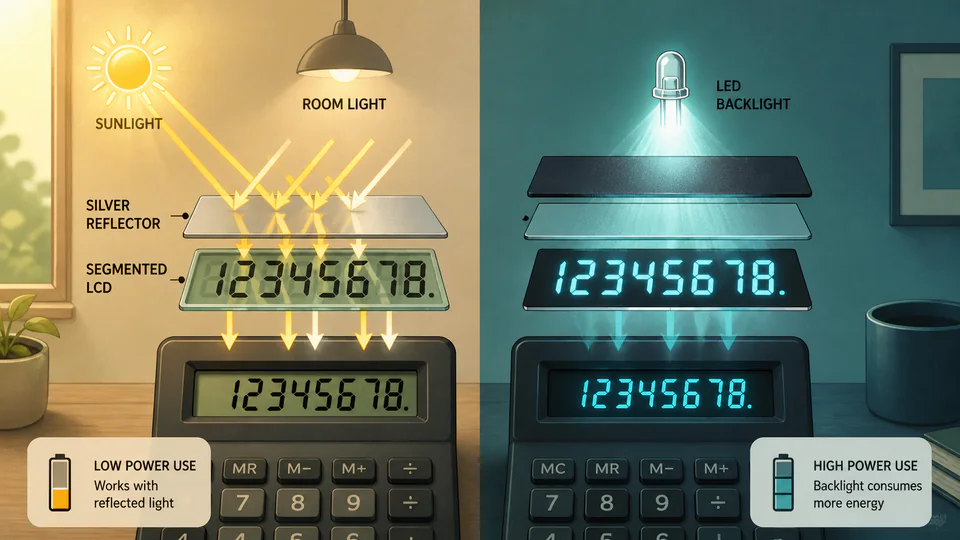
The blank-looking screen is not weak technology. It is a display designed to spend almost nothing while waiting.