Press a calculator key and the machine does not receive a tiny message saying “the 7 key has been pressed.” It receives a change in an electrical grid. The controller asks the grid a sequence of questions, finds the intersection that answers, and then decides whether the contact is real enough to count.
That is a lot of ceremony for one press. It is also a good way to make a crowded keypad with relatively few connections.
A keypad can be a map of intersections
Imagine a small city grid. Horizontal roads are rows; vertical roads are columns. A key sits at one intersection. The controller energizes one row at a time and watches the columns. If a key is pressed, the electrical path changes at that crossing.
Microchip application notes describe this matrix arrangement for numeric keypads: rows can be configured as outputs, columns as inputs, and a pressed key joins one of each. A 4-by-4 matrix can therefore represent 16 positions without dedicating a separate wire to every key.
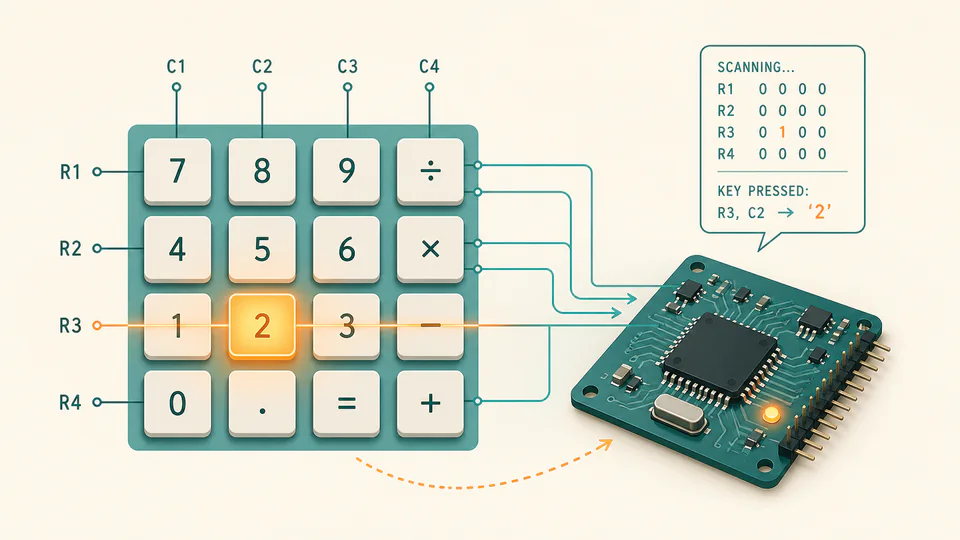
The keypad is not sending a number yet. It is sending a location. A lookup table inside the controller maps that location to a digit, operator, or function.
Scanning is a rhythm, not a single glance
The controller cycles through rows quickly. It drives one, samples the columns, drives the next, and repeats. If the user holds a key, the same intersection can be reported across multiple scans. If the user presses a different key, the pattern changes.
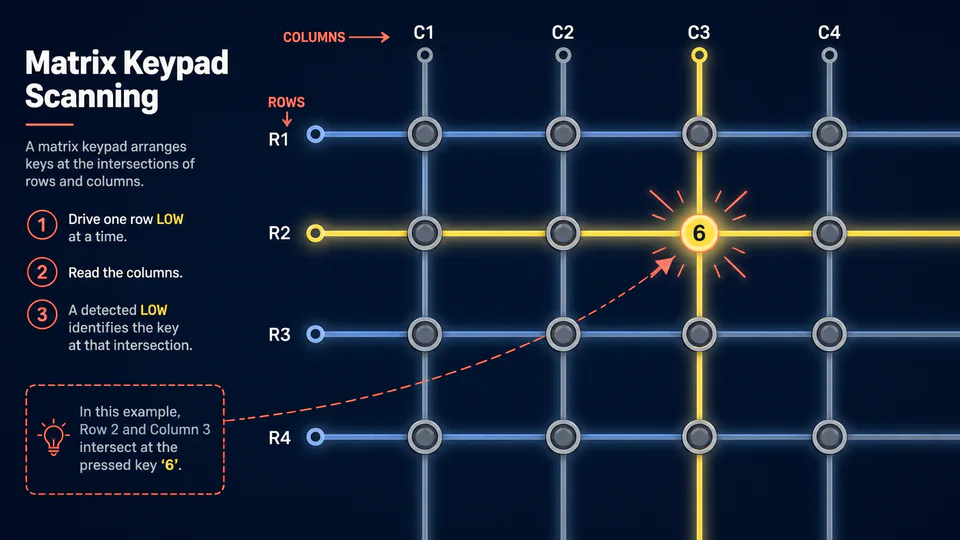
This scanning rhythm is also why a calculator can feel immediate without continuously spending a dedicated circuit on each key. The finger moves slowly compared with the controller’s repeated checks.
A physical key does not close cleanly
A key is a springy mechanical object. When its contacts meet, they can bounce electrically for a short time. The controller may see a rapid burst of on-off-on signals instead of one clean transition. Without protection, one tap could become several digits.
Debouncing is the small act of refusing to believe the first noisy instant. The controller can wait, sample again, or require the same state to persist across several scans before accepting the press.
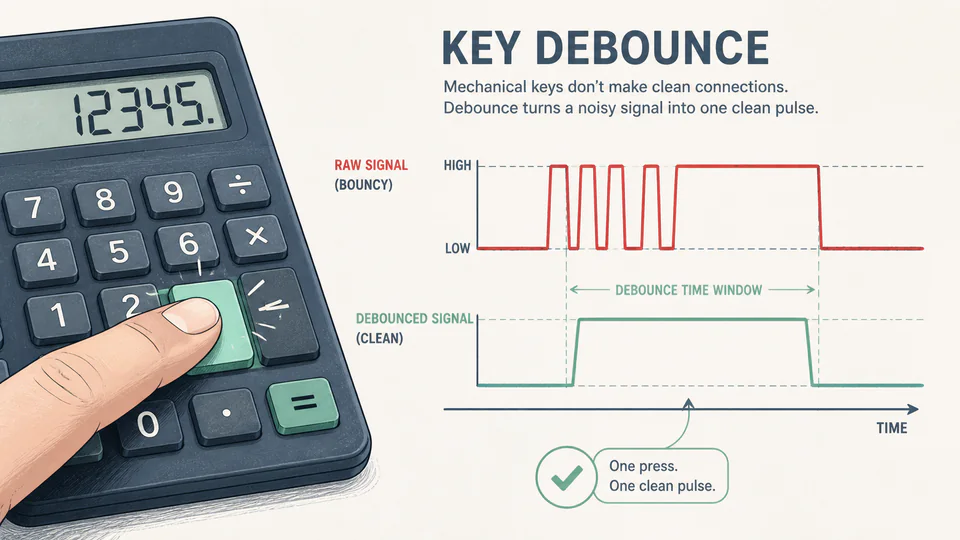
The calculator does not hear a key. It reconstructs a key from a location, a scan, and a little patience.