Look at the top of an ordinary calculator and you will usually find a narrow dark strip. It is easy to mistake it for decoration, or for a tiny solar panel that is somehow doing the same job as the roof of a house.
It is doing something much smaller and more reasonable. The strip collects a little light. The calculator asks for very little in return. Between those two facts is the whole trick.
Put a calculator beside a window and it behaves as if nothing unusual is happening. Press a key, and the digits appear. Move it into a dark drawer and the display may fade or stop responding. There is no mystery in the change. The device has simply crossed the line between the amount of light available and the amount of power its circuit needs.
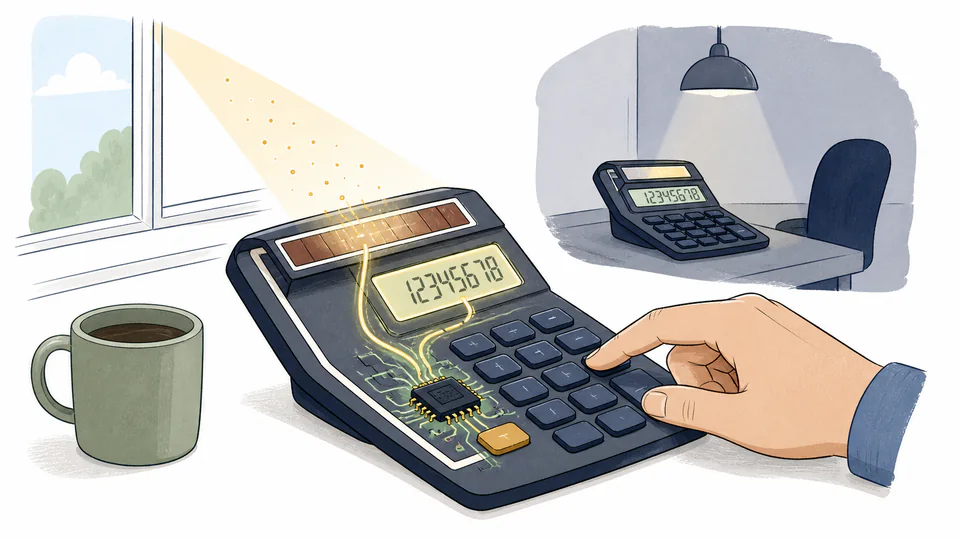
The panel is not doing all the work
A photovoltaic cell converts light into electrical power. That part is familiar. The less obvious part is the calculator’s power budget.
A phone has to keep a bright screen, a radio, a processor, storage, sensors, and background software ready for work. A basic calculator has a much narrower job. It waits. When a key is pressed, a small integrated circuit reads the input, performs a limited operation, and updates a display made from simple segments. Then it goes quiet again.
That difference matters more than the size of the panel. The calculator is not collecting a lot of energy and then spending it extravagantly. It is collecting a little energy for a device that has been taught to live on a little energy.
Three quiet decisions make the trick possible
The familiar solar calculator is a bundle of small compromises. None of them would power a laptop. Together, they make a useful desk tool.
| Part of the design | What it avoids | What the user notices |
|---|---|---|
| Segmented LCD | A bright backlight running continuously | The screen is clear when there is enough ambient light, but not luminous in the way a phone is. |
| Simple calculation chip | A general-purpose processor doing work in the background | The calculator feels instant because its job is narrow, not because it has unlimited computing power. |
| Key-by-key operation | A device that must stay busy between actions | Most of the time, the circuit can remain quiet while the calculator waits on the desk. |
The table is not a claim that every calculator uses exactly the same circuit. It is a way to see why the category works at all. A calculator can be solar-powered because its designers have kept the requested service small and predictable.
The panel is not winning a contest against the sun. The calculator has simply learned to ask for less.
Room light counts, but brightness still has a floor
“Solar-powered” does not mean “works under any light you can see.” Human vision is surprisingly good at adapting. A room that looks comfortable may still be a weak energy source compared with direct outdoor sunlight.
The numbers also depend on the model. In the manual for its fx-82SOLAR and fx-260SOLAR calculators, Casio says the solar cell requires at least 50 lux to provide power and warns that a dim display can be a sign that the available light is too low. That is a product specification, not a universal law for every calculator.
Lux measures illuminance: light arriving at a surface as experienced by human vision. It is not a direct reading of the electrical power a particular solar cell will produce. The cell’s material, area, angle, spectrum, and circuit all matter. Two rooms can have similar-looking light and still provide different results.
This is why the calculator on a bright desk works without drama while the same calculator may hesitate in a cupboard. It is not refusing to be solar-powered. It is reporting that the energy account has fallen below its operating minimum.
The screen is one of the real heroes
The small panel gets all the attention because it is visible. The display deserves at least half of it.
An LCD does not create its own light for every digit. It changes how incoming light passes through the display, which is why the surrounding room affects readability. That makes it a natural partner for a solar cell: the same light that lets you see the numbers can also help provide the power needed to arrange them.
The move from glowing LED displays to low-power LCDs was therefore more than a cosmetic change. The Computer History Museum describes Sharp’s EL-805, introduced in 1973, as the first pocket calculator with an easy-to-read LCD instead of red LEDs. A display that needed less power opened the door to thinner cases, longer battery life, and less demanding power systems.
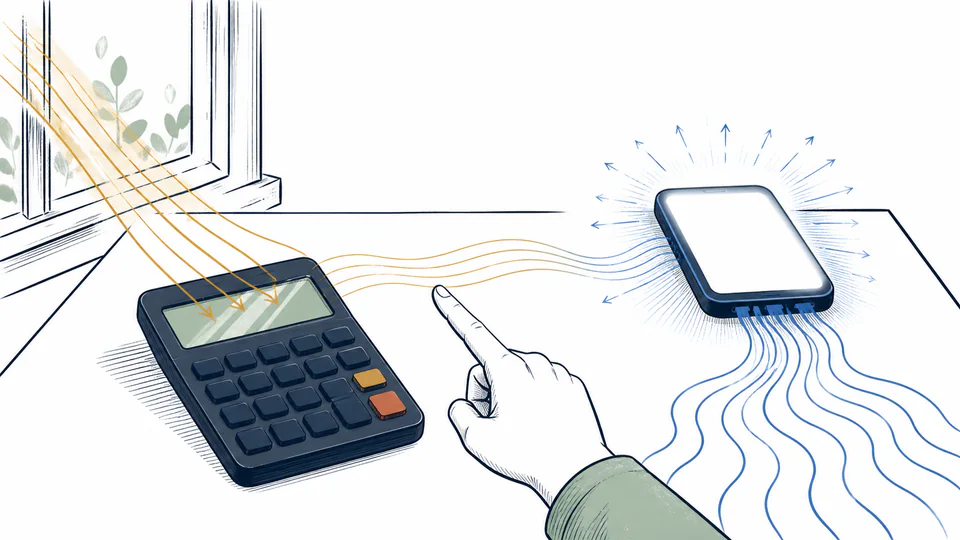
The trade is visible. A phone can look bright in a dark room because its display is a lamp. A calculator usually asks the room to do that part of the work.
Some solar calculators keep a battery in reserve
There are two common ways to handle weak light. A calculator can rely on the solar cell alone and accept that the display may fade when the room is too dim. Or it can add a small battery and use the cell when light is available, switching to the battery when it is not.
Casio calls the second arrangement a Two-Way Power system on some models: solar power when light is sufficient, battery power when it is not. That is a more forgiving design for a financial desk calculator or a device that may spend part of its life in a drawer.
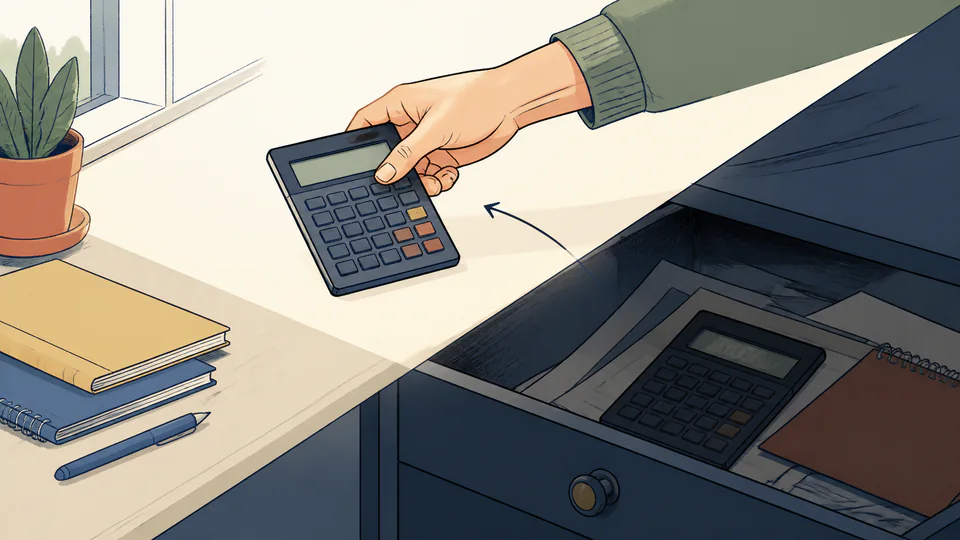
The battery does not make the solar strip pointless. It lets the calculator keep its promise across more rooms and more times of day. The solar cell reduces how often the battery has to work; the battery prevents a cloudy afternoon from becoming a service interruption.
What happens at the edge of the room
There is a useful little experiment here. Take a solar calculator from a bright desk toward a dim hallway and watch the display rather than the buttons. At first, nothing changes. Then the contrast may weaken. In a darker place, the calculator may stop producing a dependable result.
That boundary is not a defect to hide. It is a visible reminder that every small device has an energy budget. A solar calculator is honest about its budget because it has no large battery and no wall charger to cover for it.
For ordinary use, the practical rule is simple: keep the display readable, avoid storing the calculator face-down under papers, and do not expect a solar-only model to behave like a battery-backed model in a dark drawer. If memory or display behavior changes under weak light, more light or a fresh backup battery may be the right answer, depending on the design.
The clever part is the restraint
The solar strip on a calculator is not impressive in isolation. It is small, inexpensive, and easily overlooked. The engineering achievement is the restraint around it.
The display does not need to glow. The chip does not need to run a general-purpose operating system. The device does not need to stay connected, listen for notifications, or redraw a moving interface. It waits for a human question, answers it, and goes quiet again.
That is why a calculator can run on a room’s light while a much more powerful device cannot. The panel is not winning a contest against the sun. The calculator has simply learned to ask for less.