Envelope source
Bounds should come from design, monitoring, or equipment documentation.
Engineering
Check whether a column design load and temperature lie inside a declared operating envelope.
COLUMN OPERATING RANGE
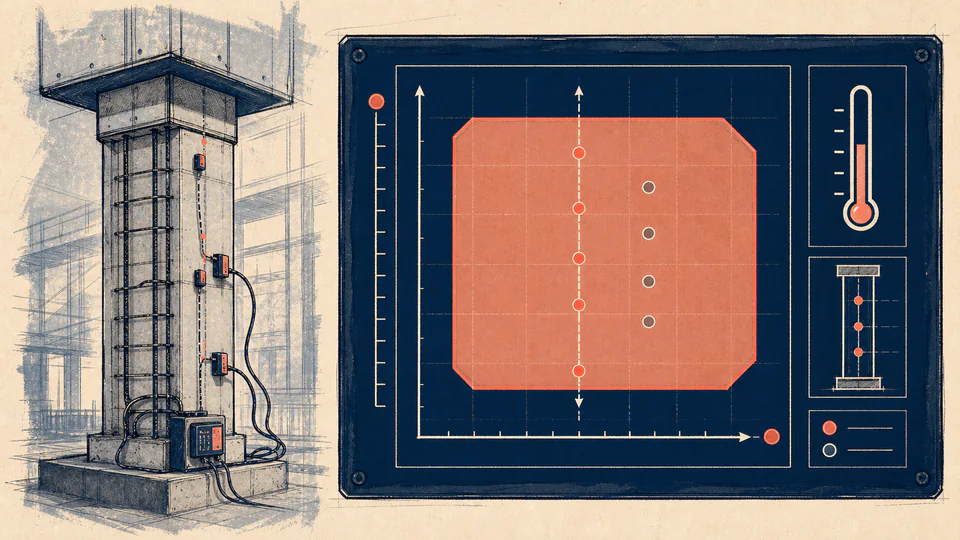
Range checks are useful only when minimums and maximums are explicit. The calculator reports each axis position and a combined inside/outside result.
Decision boundary:For monitoring and design teams checking one load-temperature observation against declared bounds; an inside point is not a structural safety approval.
DECISION MAP
Use an outside result to trigger the governing thermal, stability, or monitoring procedure; the percentage position is diagnostic, not a safety factor.
| Axis | Current | Minimum | Maximum | Unit | Normalized position (%) |
|---|
LIVE CALCULATION PROCESS
p = (x - x_min) / (x_max - x_min) x 100%; inside iff both axes are within inclusive bounds
The two axes are checked independently before the combined status is emitted. Position can be below 0% or above 100% when the current value is outside the envelope.
| Symbol | Meaning | Unit | Current input |
|---|---|---|---|
| Lmin | Declared minimum axial load | kN | 120 |
| Lmax | Declared maximum axial load | kN | 900 |
| L | Current axial load | kN | 640 |
| Tmin | Declared minimum temperature | degC | -10 |
| Tmax | Declared maximum temperature | degC | 45 |
| T | Current temperature | degC | 28 |
HOW TO USE
SUBJECT FUNDAMENTALS
CALCULATION METHOD
The two axes are checked independently before the combined status is emitted. Position can be below 0% or above 100% when the current value is outside the envelope.
DEEPER ANALYSIS
Bounds should come from design, monitoring, or equipment documentation.
An outside point may require a different model, not an automatic failure.
Temperature and load axes have different units and must not be blended numerically.
WORKED DECISION CASES
A 640 kN load in a 120-900 kN envelope is at 66.67%; 28 degC in a -10 to 45 degC envelope is at 69.09%. Both axes are inside, so the combined status is inside.
A 500 kN load remains inside the same load bounds, but -18 degC maps to -14.55% on the thermal axis. The negative position exposes the excursion and triggers thermal review instead of being clamped to zero.
EVIDENCE AND DATA LINEAGE
Retain the envelope source, load case, temperature record, and timestamp.
LIMITS AND EXCLUSIONS
RELIABLE SOURCES
FREQUENTLY ASKED QUESTIONS
Yes, if the declared operating envelope permits it.
The current value is 20% above the declared maximum.
Only that the entered point is inside the stated envelope; other checks still apply.
Convert consistently before entering Celsius.
They represent different physical limits and must remain independent.
The source of bounds, timestamp, units, and sensor or load case.
IMPORTANT NOTE
Range screen only; it does not certify structural safety.
RELATED CALCULATORS